How we got our rafting operation off a whiteboard
If you are running guide scheduling on a whiteboard and want out, the short version is that you do not need a better whiteboard and you do not need a better booking system. You need one place that knows your crew, your boats and your vehicles at the same time, and that tells you when a change to one breaks another. We built that. Weekly planning went from 20 to 40 hours a week down to 2 to 4.
For years we ran the whole operation off a whiteboard. Every trip, every guide, every van, in dry erase marker. It worked right up until it didn't, and it never told anyone anything it knew. This is what replaced it, and what it actually looks like to use.
The whiteboard, and what took its place
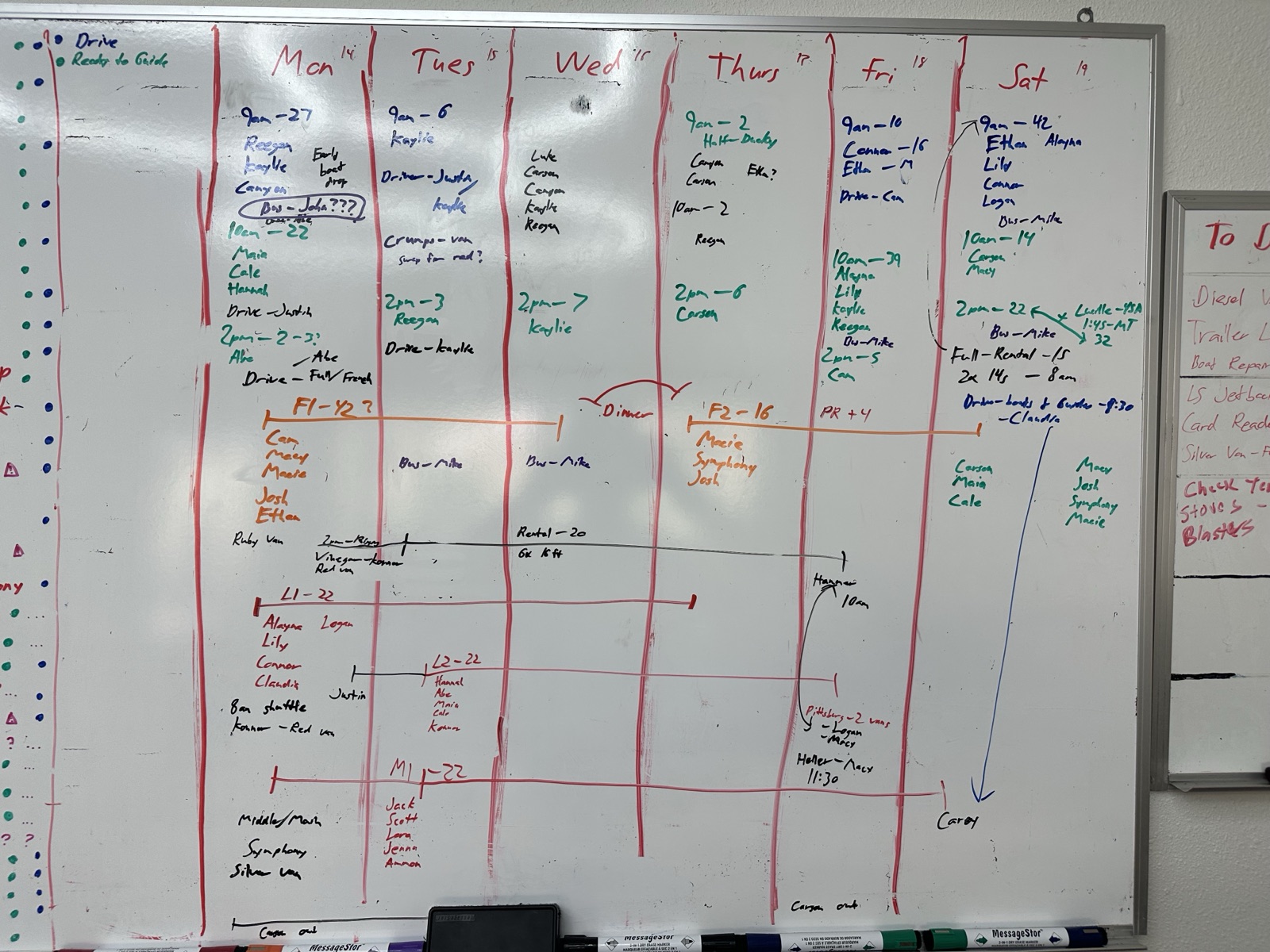
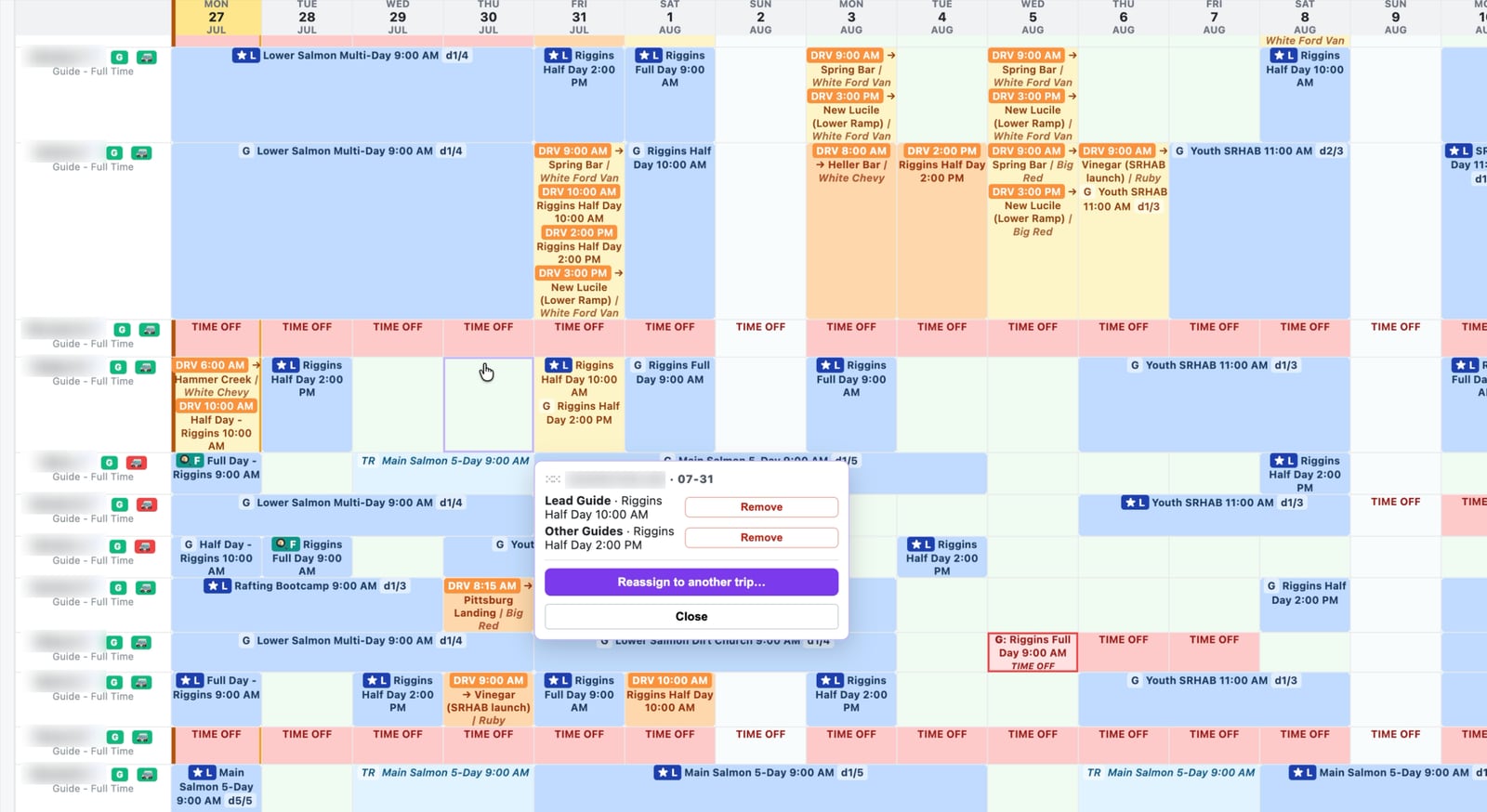
Same operation, same week. The whiteboard could show you the plan. It could never tell you the van you just wrote down was already ninety miles away.
How does the board work?
Every trip carries a status the whole crew can see. Cleared, still needs a lead, something changed since it was set up. The counters across the top are the questions somebody used to answer by counting the board by hand: how many guests are out today, how many next week, what still needs filling.
How does the crew see the schedule?
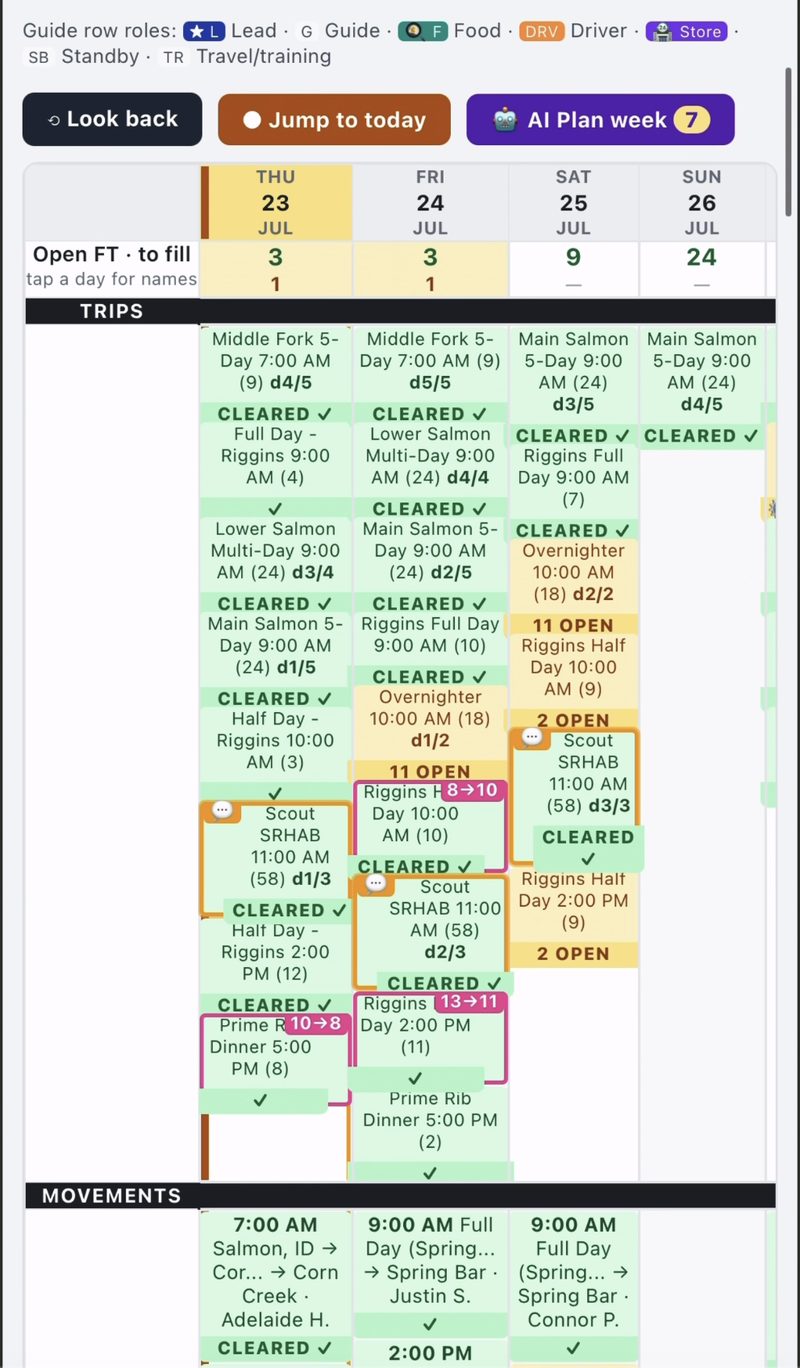
Nobody waits for one person to text the plan out. A guide standing at the ramp can see the same thing the office sees.
Underneath it there is a real permission model, because a schedule is not one document everyone should see all of. The crew view is open to the team, so nobody has to log in to find out what they are doing tomorrow. The manager views sit behind access tiers, set separately for pay, permissions, reporting, and who is allowed to move a person from one assignment to another. A lead sees what a lead needs. Nobody turns up a pay rate because they opened the board to check their own week.
That is the part that actually changed the mornings. Assignments used to be a 45 minute write-up, and then a meeting to read it out loud. Now there is neither. The team checks it themselves. The safety briefing still happens, because that was never the part a screen was going to replace.
How do guides get assigned to trips?
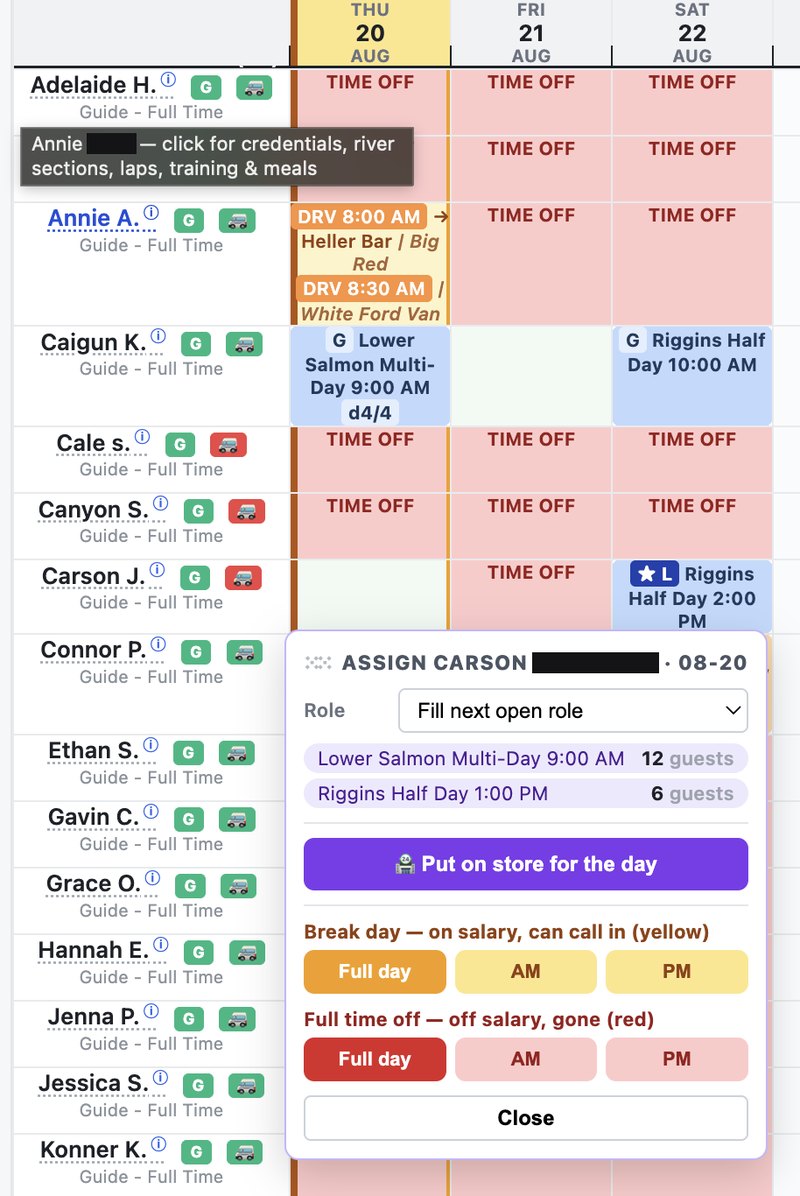
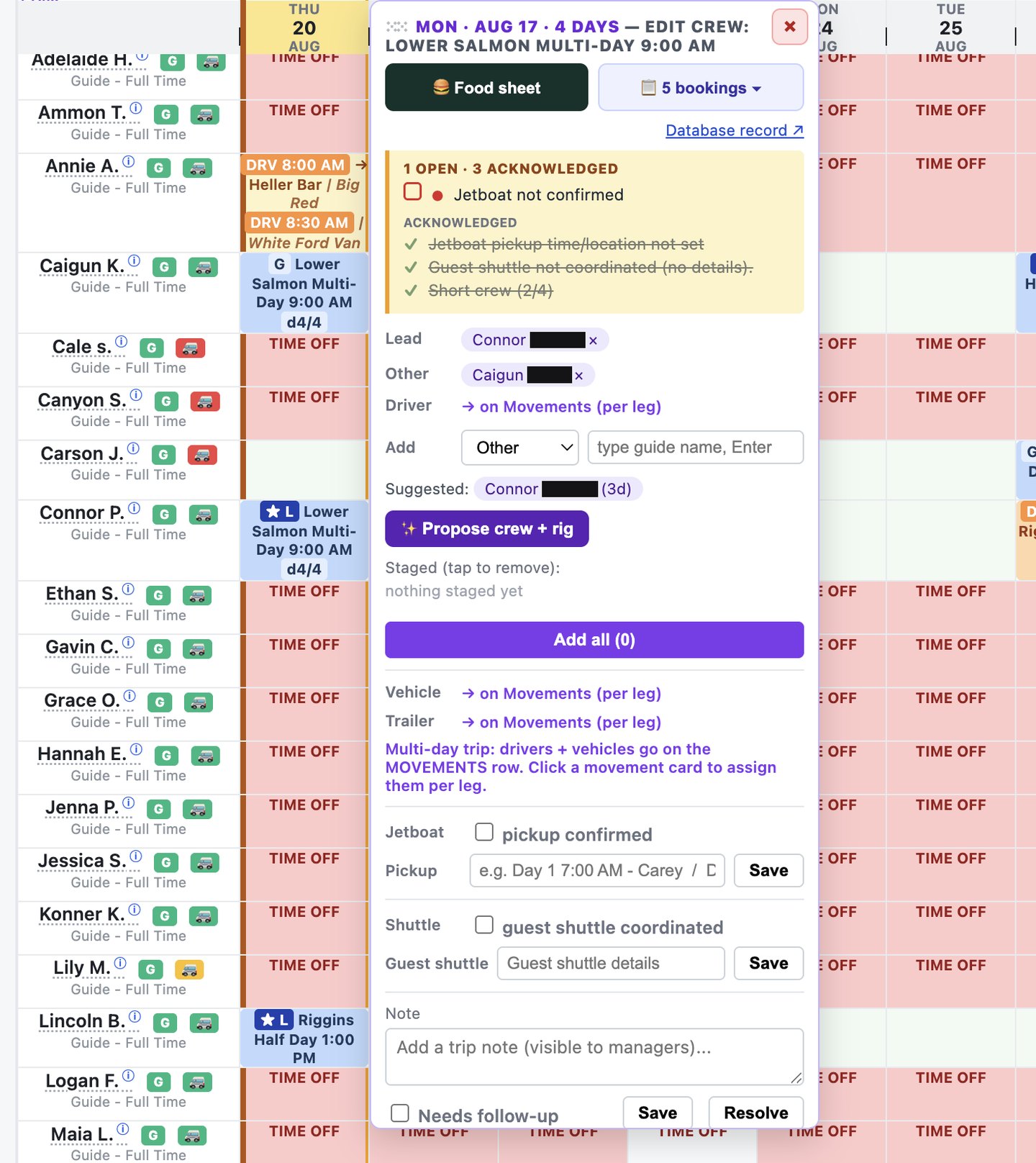
You can move people by hand, one at a time, the way you would slide a magnet around. Or you can let it propose a crew and a rig and then confirm it. Either way it only offers people who are actually cleared for that water and actually free that day.
What does each guide see?
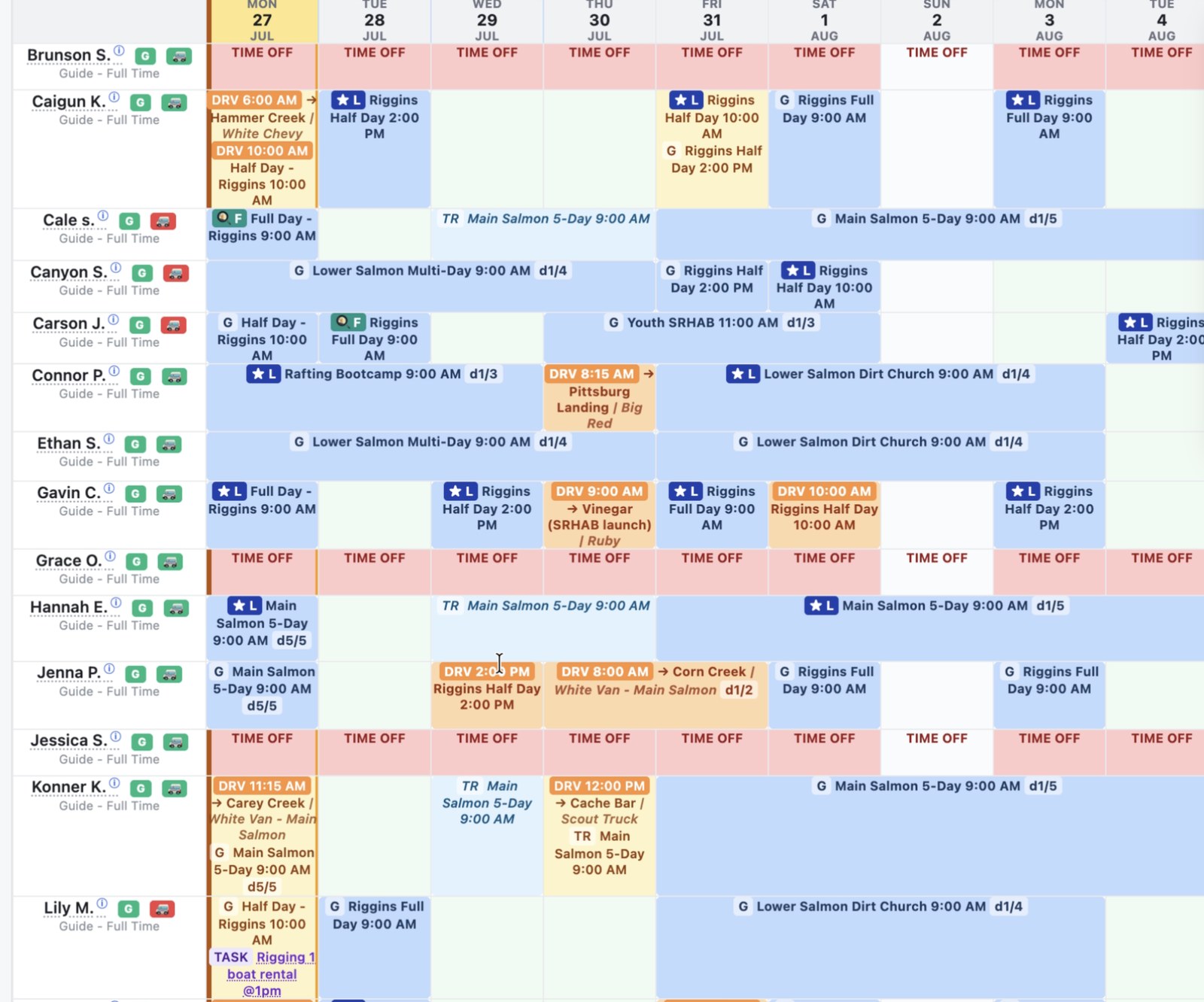
Guides check their own week instead of texting to ask. Time off, training days, and driver runs all sit in the same grid as the trips, so there is one version of the week and everybody is reading it.
How do vehicles and trailers get tracked?
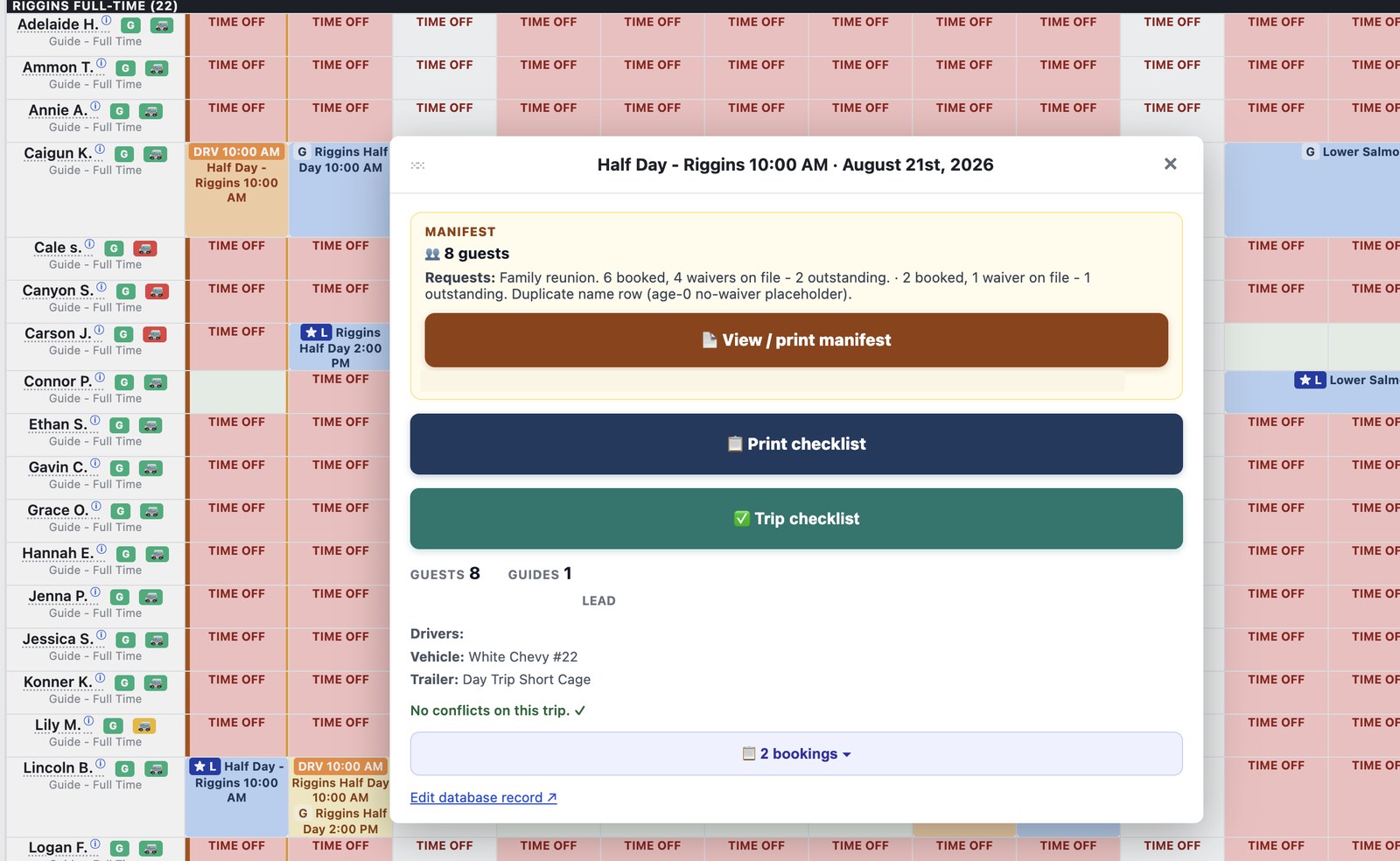
Every trip carries its rig with it. Which van, which trailer, who is driving, and when it has to leave to make the put-in. That used to be a separate line of marker on a separate part of the board, and it was the first thing to go stale.
Tasks, and the things that break
Anyone can report a problem, by text or a form, and it becomes a tracked task with a category, a priority, the piece of gear it belongs to, and a person's name on it. If it needs buying, one checkbox puts it on the shopping list so it rides to town on the next supply run.
So far that has carried 130 issues, closed 97, and put 69% of them on a specific person. Of the 14 things that reached the shopping list, 9 were vehicle or trailer safety parts: a jack, a battery, wipers, a tire tool. The things that get forgotten until they strand a trip.
Food, coolers, and packing
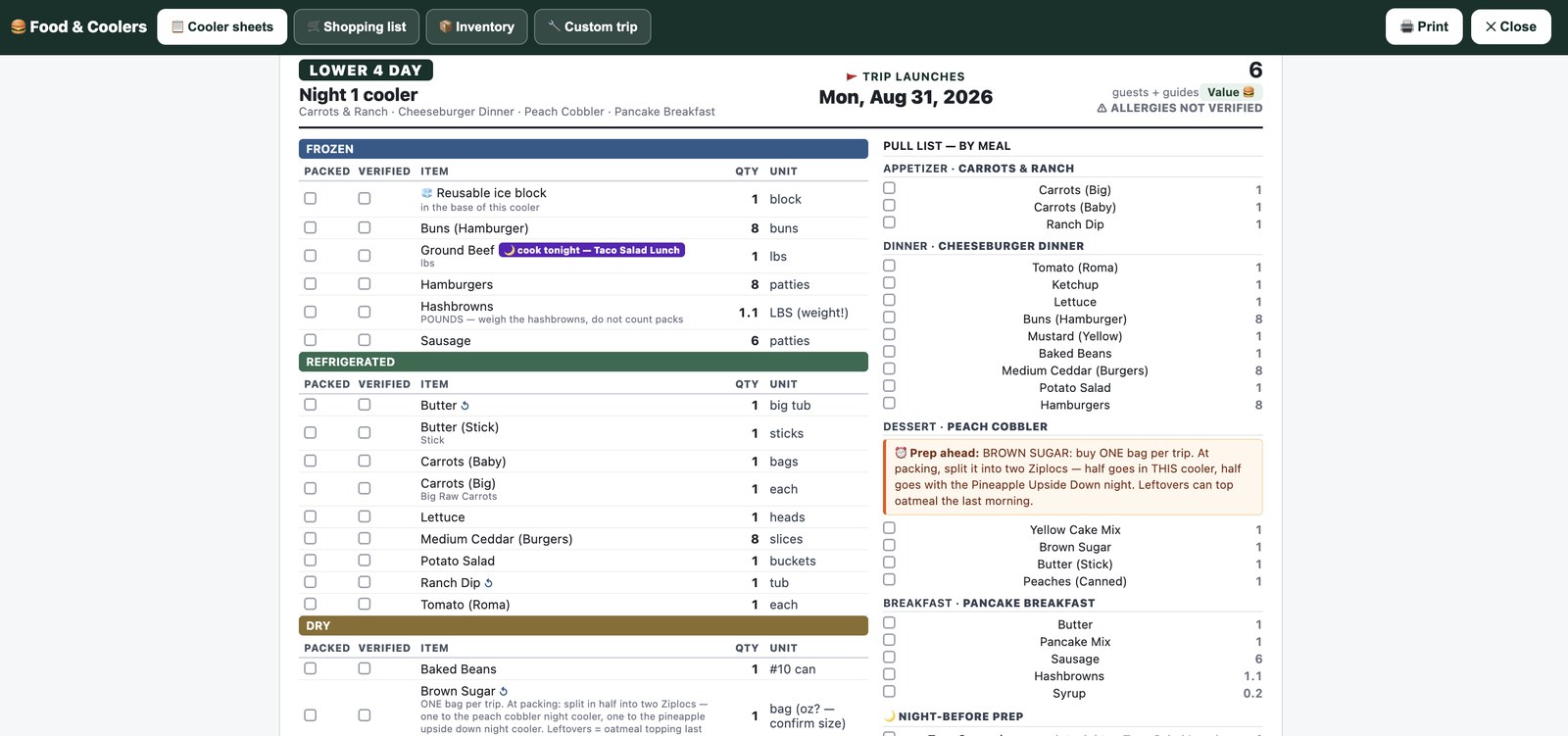
What goes in which cooler, for which trip, for how many people, with a box to tick when it is packed and another when someone has checked it. The counts come off the trip, so a group that grows from twelve to eighteen changes the food list too.
Time off the board actually respects

A whiteboard shows you today. It cannot tell you four people asked for the same weekend in August, or that the guide you just put on a five-day leaves on day three. Requests land in the same place the schedule is built, so an approved day off cannot quietly get assigned.
How do conflicts get caught before the boat ramp?
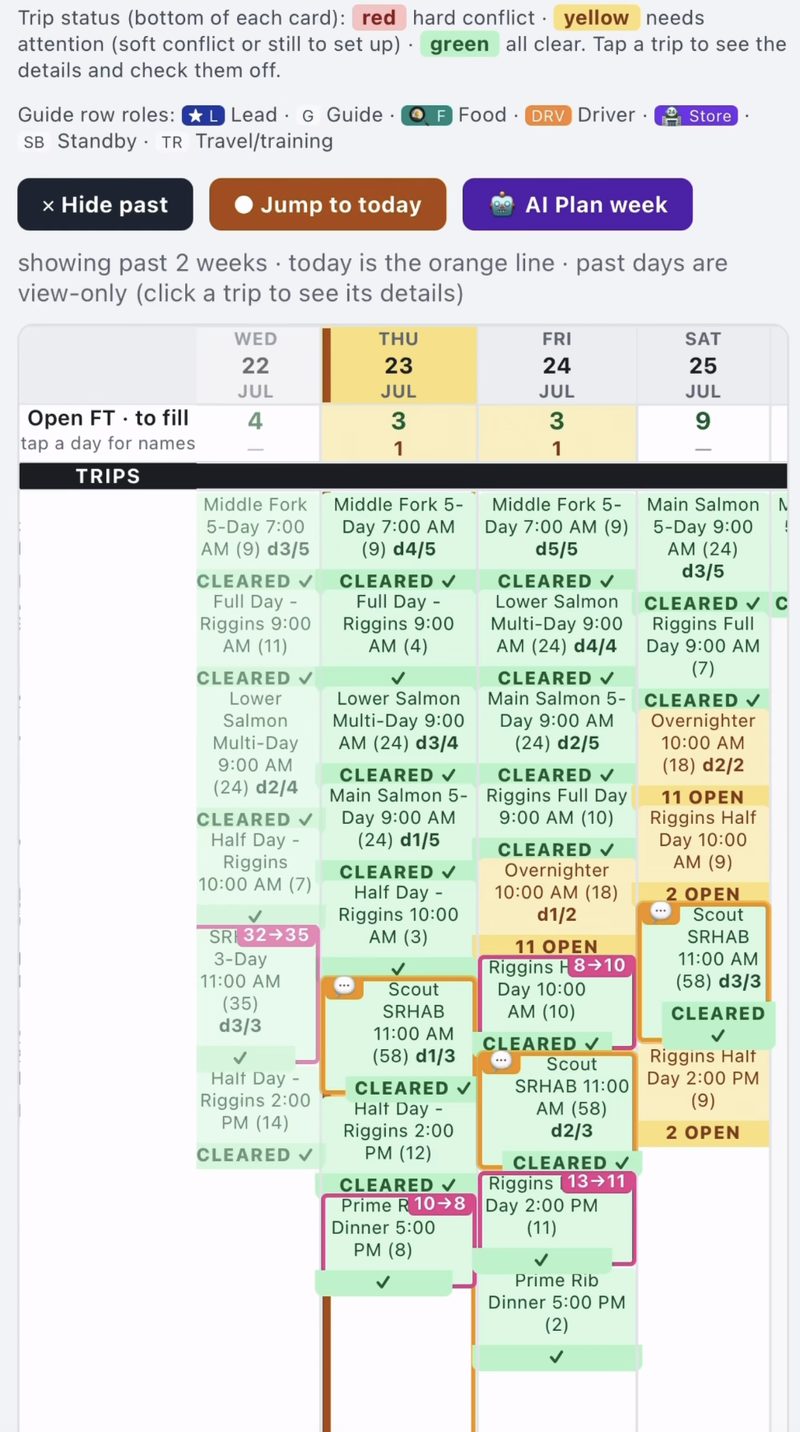
A double-booked guide, a van committed in two places, a trailer that cannot be on two rivers at once. It flags them the moment they are created, not at the boat ramp the next morning. This is the part a whiteboard can never do, because a whiteboard cannot check itself.
Questions I get asked about this
Does booking software handle guide scheduling?
Mostly no. Booking systems are built around the reservation: who paid, for what, on which date. Crew, vehicles, equipment and qualifications are usually either absent or a thin add-on, and almost none of them will tell you that assigning a guide to Saturday just broke Sunday. That gap is what this whole argument is about.
What do you use instead of a whiteboard?
A model of the operation rather than a calendar. Trips, crew, boats, vehicles, trailers, qualifications and the rules that connect them, in one place, with a board on top that the crew opens on a phone. How it is built is written up separately.
How long did it take to build?
The version the crew runs on was built in weeks in 2026, then corrected all season. The couple of seasons before that, learning how the operation actually worked, are what made weeks possible. Most of it was not writing code. It was working out what the rules actually were, because almost none of them were written down anywhere. Writing the business down is the expensive part, and it is the part that has only recently got cheaper.
Can I do this without a developer?
Partly. The database and the boards are within reach of a determined operator using off the shelf tools, and plenty of what we run is exactly that. The judgment work is harder than the software: knowing which rules matter, which exceptions are real, and what should never be automated. What it takes is on the install page.
What happens when the schedule changes mid-day?
Somebody says it in the channel they already use, in the words they already use, and it becomes a checked, staged change rather than a message nobody acts on. The layer that reads the operation is what makes that work.
Read more
None of that runs on its own. Underneath it there is a layer that reads what the crew already says and works out what each message means for the schedule, and how the whole thing is built, including the AI layer and updating the board by talking instead of clicking. There is also the capacity problem, and why that engine can only advise.
Every outfitter I talk to has a version of this whiteboard. If you run one and want this built for your operation, see the outfitter operations offer. Or just get in touch.